Webinar Recording
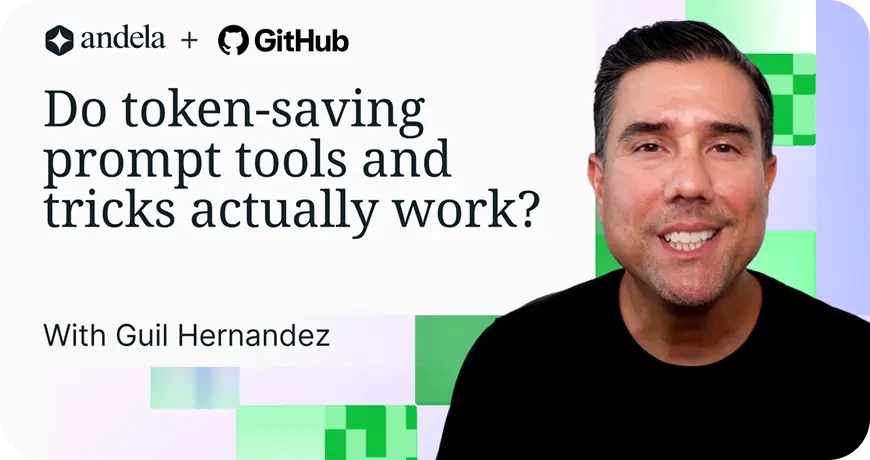
Optimize GitHub Copilot Token Costs & Boost Productivity


Who this webinar is for
Why this webinar?

Control AI coding costs

Improve developer productivity

Connect AI usage to business impact

Prepare teams for agentic development
Top questions from the webinar

.png)
.png)
.png)
.png)
.png)
.png)



Beyond tokens: turn AI into engineering impact
Turn seats into daily usage and measurable productivity.
Add trained, assessed tech talent ready to ship in AI environments.


Upgrade your platform with security, continuity, and ROI built in.


.png)
.png)
.png)
.png)

.png)
FAQs
For more information, check out our help center.
Your billing settings already show you your costs. The AI usage view, for example, breaks down credits consumed by model and then, from there, admins can filter it by user. The harder question is about ROI. One team or person can use a bunch of credits on a refactor, a migration, and it's money well spent, but another team can burn the same amount of credits going in circles and doesn't get much for it. The spend might look about the same, but what they got out of it isn't.
Avoid measuring the stuff that really doesn't tell you much, like the lines of code, the percent of commits written by AI. Those numbers are going to go up and down, and you still won't know if any more work is actually getting done.
Look at what actually shipped, the pull requests merged, how fast they merged, and what made it to production. GitHub gives you a dashboard just for this: the Copilot impact dashboard. It groups your developers by how deeply they've adopted Copilot. Then it shows an adoption multiplier. It shows how many more PRs, for example, your engaged devs merge compared to the ones who are barely using it.
And if that number is 2x, well, there's your case for the spend in a number leadership can understand.
So don't ask how much you spent. Ask what you got for it.
It can cost you extra tokens and here's why. When you stay on one model through a conversation, most of your context — the system prompt, your file contents, the tool definitions, all get cached. And those cached tokens are billed at about 10% of the normal input price. That way, a long agent session isn't repaying full price for the same context on every turn.
The moment you switch models within the same session, that cache is gone. A different model can't read another model's cache, so your whole context gets resent and billed as fresh input.
So switching models to feel like you're optimizing can really cost you more than sticking with the one you started with.
If you do need to change tiers, do it at a natural break, a fresh session, or right after the history gets compacted, not in the middle of an active thread. Otherwise, you pay to rebuild the whole context on top of whatever the new model costs.
And when you're picking that model in the first place, don't just reach for the cheapest one, reach for the cheapest one that gets it right the first time.
A lighter model might get there, but only after more prompting and more back and forth to get it right, while a stronger model might "one shot" the same task and can land in a similar place on cost with less time spent.
You've got two options here:
- Pick a model that fits the work and stick with it for the session.
- Let auto handle it since auto routes with caching in mind. When it does change models, it does it at a point where the cache would reset anyway, like the very first turn or right after a compaction. So you get the routing without paying to rebuild your context.
They are two different units. Tokens get converted into credits, and credits are what shows up on your bill.
Tokens are what the model reads and writes. This includes: your prompt, the files and history you send it, and the response it generates. Everything Copilot does gets counted in tokens.
Credits are how you pay for it. One AI credit equals one US cent. For example, 100 credits is a dollar, 1000 credits is $10, etc. But tokens don't convert to credits at a fixed rate because every model prices its tokens differently. For example, the same request with the same number of tokens costs more on a frontier model than on a lighter one. Copilot prices your tokens at whatever that model charges then converts the total into credits.
Not all tokens cost the same even on one model. Output tokens, what the model generates, usually costs more than the input you send it. And cached tokens, the context that gets reused, cost less.
When your Copilot credits drop, that number comes down to a few things: how many tokens the request used, which model you picked, and whether they were input, output, or cached tokens.
It's not. Auto's job is matching the task to a model that can handle it efficiently. Simpler requests go to faster, lower cost models, while the heavier reasoning models get used for the harder problems, so you're not paying premium prices for work a lower price model could have done.
And it stays inside your guardrails, too. Auto only picks from models that your plan and admins allow.
So if your org has blocked the model or restricted you to certain ones, auto won't route around that.
It's not a black box either. Copilot tells you which model it used while in auto mode.
How does auto decide which model to use? It looks at how hard the task is, how much reasoning it needs, how complex the code is, whether it's a quick fix or a multi-step job. Then it sends the request to whichever model matches that level of difficulty.
If you've been avoiding auto because you think it's routing to the priciest model, it's doing the opposite. And on a paid plan, it also costs less than picking the model yourself.
Per user. Yes. Per model? Not directly.
Per-user budgets are built in. You can cap how many AI credits any one person spends in a billing cycle, from the shared pool and any overage. You can also put a budget on a cost center and everyone in that group inherits the cap.
If your platform team needs a higher limit than everyone else, put them in their own cost center with their own budget, and you're done. If you move someone into that group, they pick up the higher limit. And if you move them out, they lose it.
Also, there's no setting that says "give this model a budget". You can set a budget for a user, a cost center, an org, or the whole enterprise. But every one of those caps a dollar amount, not a model.
If you don't want a team on your most expensive models, you can turn that off. An admin can block specific models for an org. Just remove it from what they're allowed to pick.
To see spending broken down by model, you can go to "Billing and Licensing" on GitHub.com. Under "AI Usage," you can see where it groups spend by models, so you can tell which ones are using up credits before you decide what to restrict.
A new token is fresh input, something the model hasn't already seen in the session. It reads and processes the whole thing at full price.
A cached token is context that's already been processed once and can be reused. A lot of what Copilot sends repeats every turn, like the system prompt, instructions, tool definitions, any files and history already in the conversation. Rather than having to reprocess all of that each time, the model reuses it from cache and cached tokens are billed at about 10% of the normal input rate.
The first time the model sees something, it's new and full price. After that, if the session holds, it's cached and cheaper.
You don't. There's no setting for that, it's automatic!
What you can do is keep from breaking it. Caching only works when the stuff that tends to repeat every turn stays the same — your system prompt instructions, tool definitions, and any settings you've started with.
GitHub is specific about what breaks the cache mid-session and forces the model to reprocess all of that repeated content at full price. That includes switching models, changing the reasoning level, changing context size, or changing your enabled tools and MCP servers. So if you do any of those in the middle of a session after the cache has already built up, it all gets thrown out. Everything has to be reprocessed at full price.
Since your instructions are part of that same repeated content, I recommend you set all of it before you start and leave it alone for the rest of the session.
If you're using the Copilot CLI, there's a handy way to see where your tokens are going. You can run the /context command, and it breaks down all of what's filling your window — the system prompt, custom instructions, system tools, MCP tools, and your messages.
It depends which budget you mean. For an individual user, yes, it's immediate. GitHub blocks the request the moment they hit their limit.
Cost center and enterprise budgets work differently. They only hard-stop if you've turned on stop usage for them. That setting is off by default. If you leave it off, spend just keeps accruing with no cap at all.
There's a bit of a wrinkle with new budgets too. A budget only counts spending from the day you turn it on. So if you set a $500 budget halfway through the month, it doesn't see what your team already spent that month, and you can still go over. The next month it counts from day one and works like you'd expect.
You can get email alerts when a budget hits 75, 90, or 100 percent. But for user budgets, that alerting isn't available in every case, so GitHub's own advice is not to rely on user budget alerts as your only warning. So watch your cost center or enterprise usage directly too.
Yes, some work, but they each do something different. So whether it's worth anything to you depends on what's filling your context window. And you can check that in the Copilot CLI by running the /context command. You'll know whether it's your system prompt, your instructions, any tools or messages. From there, go after whatever's biggest.
A tool like RTK is totally worth it if Copilot is running a lot of commands for you, since its main job is to compress terminal output before the model reads it. Let's say Copilot is running some tests. Normally that might print one line per test, so if there are 50, Copilot has to read through all 50.
RTK shortens the result. If 3 tests fail, Copilot would get only the three that failed and one line saying that 47 passed. But even their docs are upfront about stating that this only cuts command output and not your entire spend.
With Graphify it depends on your repo. It's a skill that maps your project into a graph.Instead of Copilot opening and reviewing 10 or 20 files to answer a question about your code, it's going to search that map. So your code gets read by a passer on your machine. So mapping it really costs you nothing.
Now Caveman might be one I'd actually skip. It's a skill that tells the model to answer in plain stripped down language. That works, but you can get most of that by adding things like “be concise” and “be clear” to your copilot-instructions.md file, which is what GitHub recommends anyway.
After installing and using any of these for a bit, I suggest running the context command again, compare the numbers to what they were the first time, and from there decide if it's worth keeping around.
Not directly.
AI credits follow the developer, not the repository. Copilot is licensed per seat, so the usage gets charged to the person using it. And you can see that in the AI usage report itself. For example, it breaks down by date, by model, and by user, but repo isn't one of those options.
This gets a little confusing with cost centers. You can add a repository to a cost center, so it might look like you're set up to track it that way. But Copilot only charges the users in that costcenter, so none of your AI spend gets tracked against that repo.
What you can see per repo is something like action minutes, cloud agent and code review, for example, both run on GitHub actions and those minutes do get attributed to the repo they ran in. That's only for private repos since action minutes stay free on public ones.
A workaround for that might be to build the cost center around a team instead. Say you have four engineers that are the only ones working in a set of repos. You put those people in a cost center, and now you can report on that group and set a budget for it. And that number might be close enough to what those repos cost you.
Keep an eye on it when people take on work outside that team, so their credits stay with whatever cost center they're in. Let's say one of them spends a month on another unrelated project. Well, that spend still counts against this cost center's budget.
It can, but not necessarily by making any single run cost less. What changes might be how many runs you actually need.
Spec Kit is GitHub’s toolkit for this. You run a command for each phase: like specify, then plan, then tasks. Each phase is going to write a markdown file you review before the next one starts.
That's three agent runs before implementation even begins.
Think about what happens without all of that. Say you tell it to add SSO to your app and it picks a library nobody would have approved, it builds the whole login flow around it, and by the time you open the diff and review it, it's rewritten half your auth and you've paid for all of that, and now you're paying again to undo and fix it. Reading the plan first would have caught that library choice.
Another thing that might help is that you can also switch models between these phases. Reasoning models are going to be worth their rate on architecture and things like planning, since that's where the thinking happens. After that, the agent is going to be working through steps you already decided on, so you may not need the same powerful higher cost model.
In VS code, open the model picker in the chatbot and pick a reasoning model. From there, a Thinking Effort submenu is going to show up. You can pick low, medium, high, or extra high depending on what that model supports.
Not every model is going to give you that option. Some models don't reason the same way, soCopilot skips past it and goes straight to a response. Once you set a think effort level, it's going to stick with that model until you change it. If you start a new conversation, it's going to pick right up wherever you last left that model.
If you're working in the CLI, you can pick effort through the model command, right in the same flow where you choose the model.
There's also an –effort flag that you can pass at the start, so you don't need the interactive picker at all.
Keep in mind that you should be careful changing that think effort setting mid-session, since it does break the cache the same way switching models or changing your tools does. So let's say you bump the effort up halfway through a session and you pay for the extra reasoning, and then you have to pay again to rebuild whatever context was cached.
Set it before you start, and leave it alone for that session.
There are costs associated with the effort itself. For example, higher effort means the model reasons more before it answers and that reasoning gets billed like any other output. Be sure to save high or extra high for the harder stuff: architecture decisions, multi-file debugging migrations…and leave routine work on the default setting.

.webp)